Three chore types
Paid work, unpaid family contributions, and kid-proposed jobs with prices you approve.
I built Coinkids with my three kids — to teach them money follows value you create. Paid chores. Family chores. Jobs they can pitch. Optional Bitcoin savings.
I'm a dad of three. Cash allowance always felt off — the dollars got misplaced, ended up in the laundry, or just disappeared into a drawer. Chores felt like a punishment they'd been sentenced to. Stickers got ignored. Lectures bounced off.
So one weekend I started building. The model is simple, and it's the one we already use at home: some chores are paid work. Some are family chores — this is how we help each other, no money attached. And kids can propose their own jobs with a price tag — that's how they learn to spot work worth doing, and parents approve it.
Then I added the part I really cared about — an optional way for us to watch their savings grow in Bitcoin together. Not a wallet. Not a custody product. Just a window into the future of money, set up by parents.
My three kids and I use it every day. Other parents kept asking, so it's on the App Store — free forever for the first 1,000 families. No ads. We don't store your data, so we couldn't sell it if we tried.

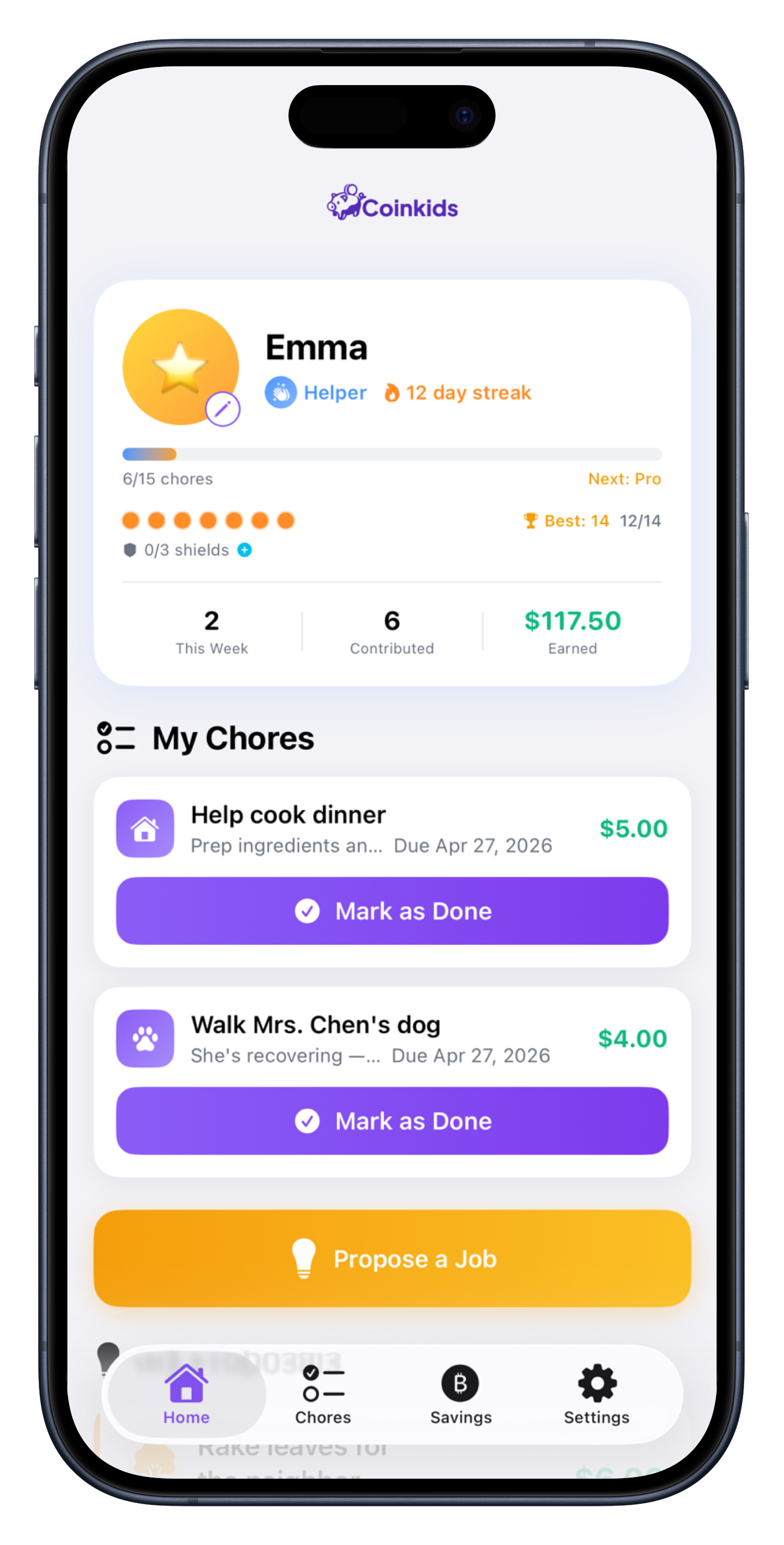
You assign it. They do it. They get paid for it.
Unpaid. This is how we help each other.
Kids pitch the work and the price. You approve. That's value creation.
No emails. No friction. Just open the app.
Get a 6-character invite code. Kids hop on with their own profile in seconds.
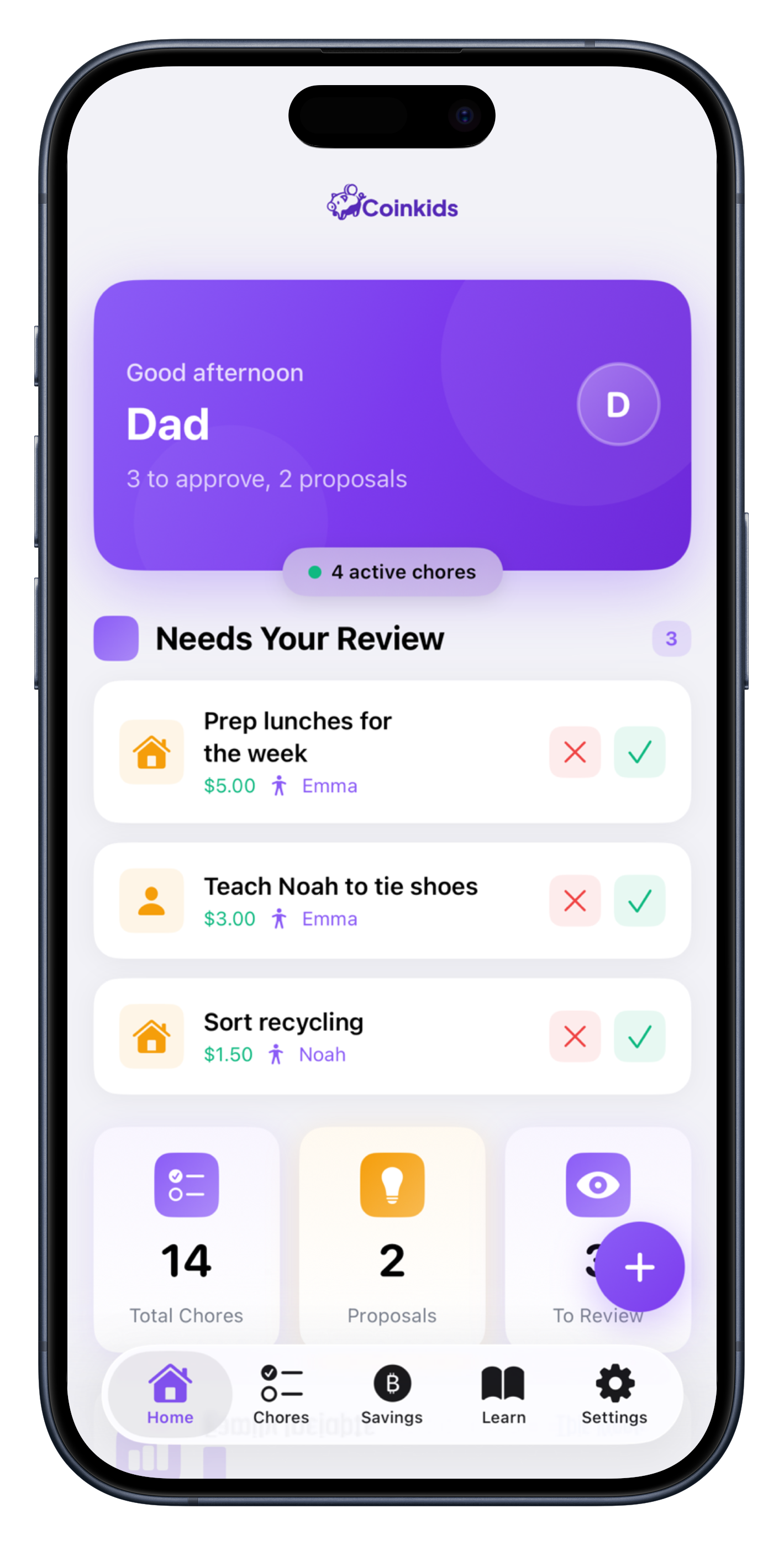
Paid chores you assign. Family chores (no $). And kid-proposed jobs you approve.
Kids complete the work. You tap the green check. Coinkids tracks what's owed — you settle up however you pay them.
Paid work, unpaid family contributions, and kid-proposed jobs with prices you approve.
Full transaction history. Running balances. Parents approve every chore — no surprises, no shortcuts.
Real-time sync across iPhone & iPad. Each member gets their own profile — no shared Apple ID. Works offline.

You fund a wallet you own. Coinkids reads the balance. Kids see their stack grow over the years. Toggle it off in Settings if it's not for your family — the rest of the app works fine without it. Not a wallet. Not custody.
Parents approve. Kids earn. Both stay focused on the loop.
An approval queue, family insights, and the optional Learn track. Two-tap green check pays out.
A focused chore list, balances, and the Propose-a-Job button so they can pitch their own work.
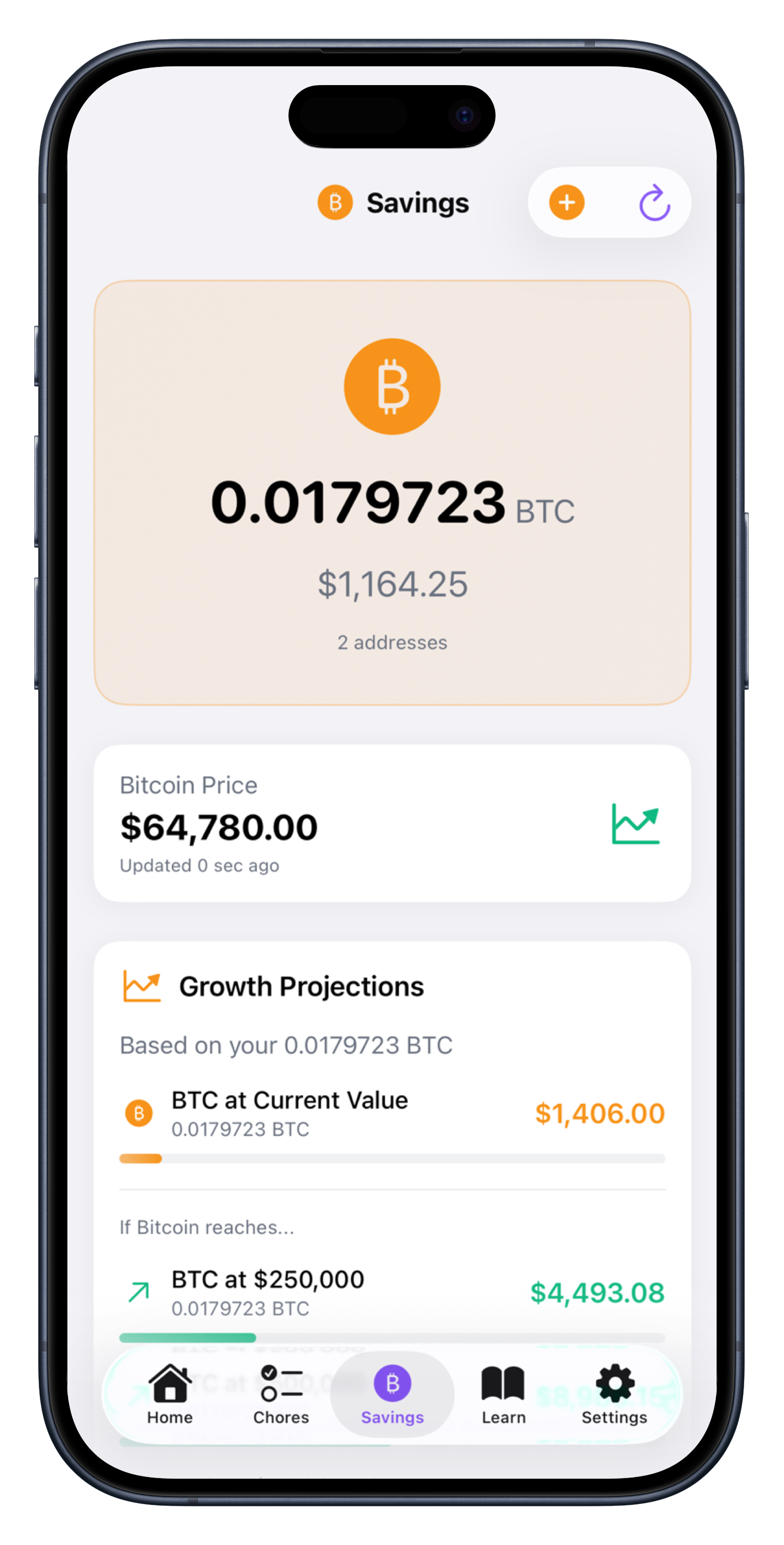
Optional. Read-only Bitcoin balance from a wallet you fund. Kids see it grow.
If you choose to turn it on, kids see the balance and price chart for a wallet you've funded — so they can watch their savings grow over time. They never need to know how wallets actually work.
It makes me feel like I want to just keep finding jobs to do!
Three kids, three very different work ethics. Now they all see that effort turns into something real. That shift alone is worth it.
My kids were legit fighting over who would get approved for the dog 💩 pickup in the backyard.
It's free forever for the first 1,000 families on the App Store. No in-app purchases, no subscriptions, no ads. After that, we may charge a small one-time fee to cover hosting — but anyone who downloaded under the early-family window stays free, forever.
Nope, not required — they can share your device. Each family member has their own profile, so balances and progress stay personal.
That said, the app really clicks when kids have their own device (even an old hand-me-down iPhone or iPad). They can check their balance, mark chores done as they finish them, and watch their Bitcoin grow without having to come ask for the phone.
The app doesn't move dollars — it just tracks completed jobs you can mark paid. Coinkids doesn't hold balances or touch your bank.
How we do it at our house: each kid has an Apple Cash account on their device. Chore gets done, we send the dollars there, mark it paid in Coinkids. When grandparents drop a birthday card with $20, the cash gets handed over and goes straight to Apple Cash too — so the money doesn't end up in the laundry, on the counter, or in some random drawer.
Now they can see their money and pay at the store themselves. That last part matters more than I expected. When it's their money disappearing at checkout, they finally feel what things actually cost.
Other families use cash, Venmo Teen, Greenlight, or an envelope on the fridge. Whatever works for you.
They built a kid bank — debit card, custodial account, monthly subscription, the whole thing. Coinkids is the opposite: a chore tracker that doesn't touch money. So we're not really substitutes. If you want a card, get Greenlight. If you want a free way to teach the chore → earnings → optional Bitcoin loop without adding another subscription, that's us. Plenty of families use both.
Honest answer: I think there's a non-zero chance our kids grow up in a world where digital currencies are part of how people actually pay for things. It's already starting — every Square terminal can accept Bitcoin or stablecoins (with auto-conversion to USD if the merchant prefers), and major payment processors are quietly building crypto rails behind the scenes. I'd rather my kids understand that future than bump into it cold at 18.
You don't have to agree. The Bitcoin / Savings tab is off by default — flip it on if you want it, leave it off if you don't. The rest of the app works the same either way.
If you're curious and want a kid-friendly explainer, my kids liked this one from Economics Explained (“Dollars or Bitcoin? Which one is better?”).
No. It's completely optional — you choose during setup, and you can flip it off in Settings any time. When it's on, kids can see the balance of a wallet you've funded and watch it grow. Coinkids is not a wallet — it can't send, receive, or store Bitcoin. It just reads public chain data so your family can watch savings grow together.
We teach our kids to save a percentage of their earnings in Bitcoin. The mechanic is simple: they send us the cash from their wallet via Apple Pay, we buy the Bitcoin and send it to their wallet, and they watch it grow in the Coinkids app over time. Parents are the custody layer. Coinkids just shows the window.
Designed for families with kids ages 6–12, but it works for any age. Listed in the App Store Kids Category (ages 6–8).
Yes. We collect only first names. No emails, no passwords, no tracking. Data is encrypted and stored in your family's private cloud space. You can delete everything anytime from Settings. Full details in our Privacy Policy.
If your kid did something wild because of this app — please tell me. Those emails make my week.
Real chores. Real earnings. Optional Bitcoin savings.